Built for human connection

Give a good conversation somewhere to go.

Share something useful while you’re together, keep the context, and make the next meeting easy to book.

See how it works
A place for your next hello
What you share
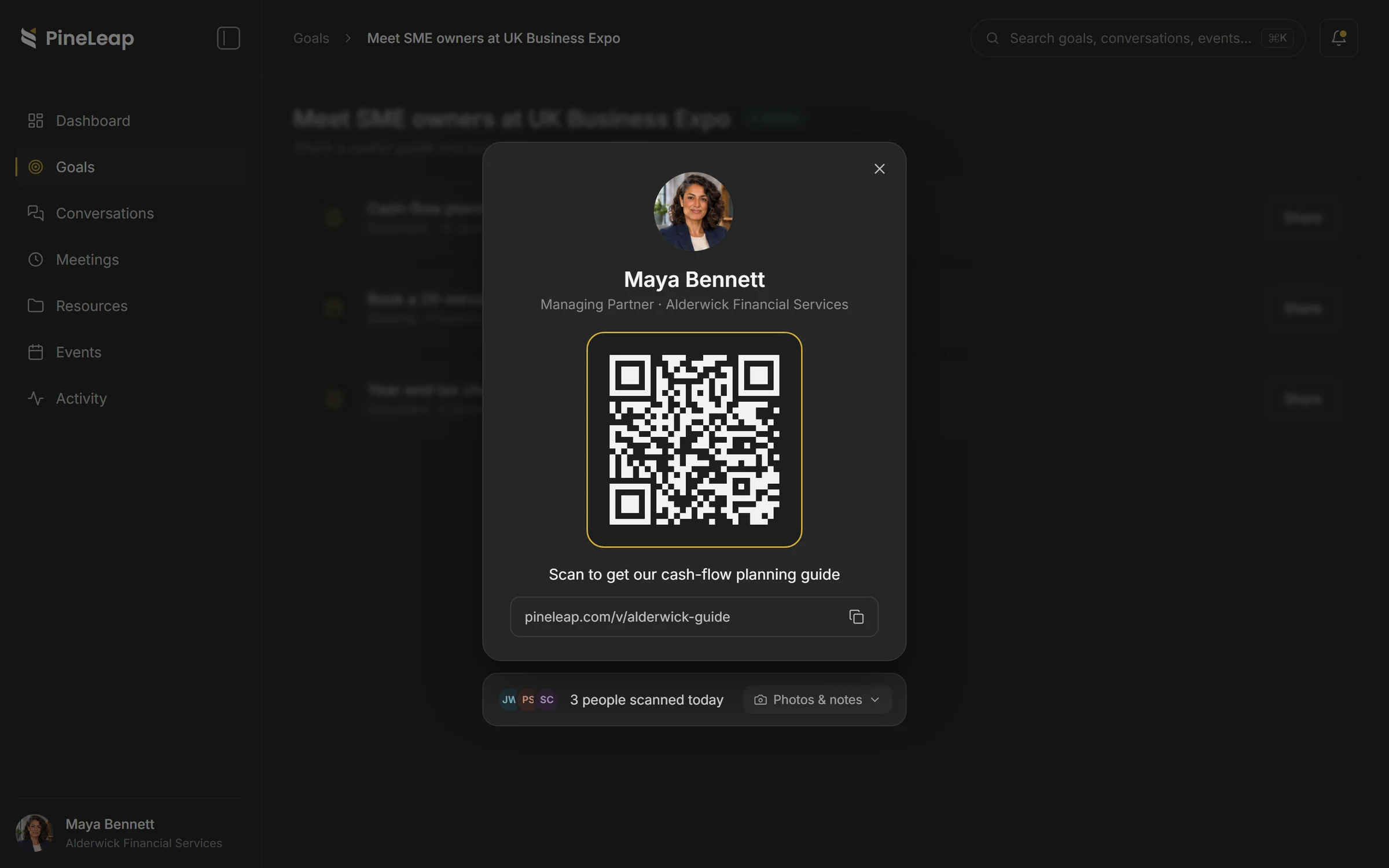
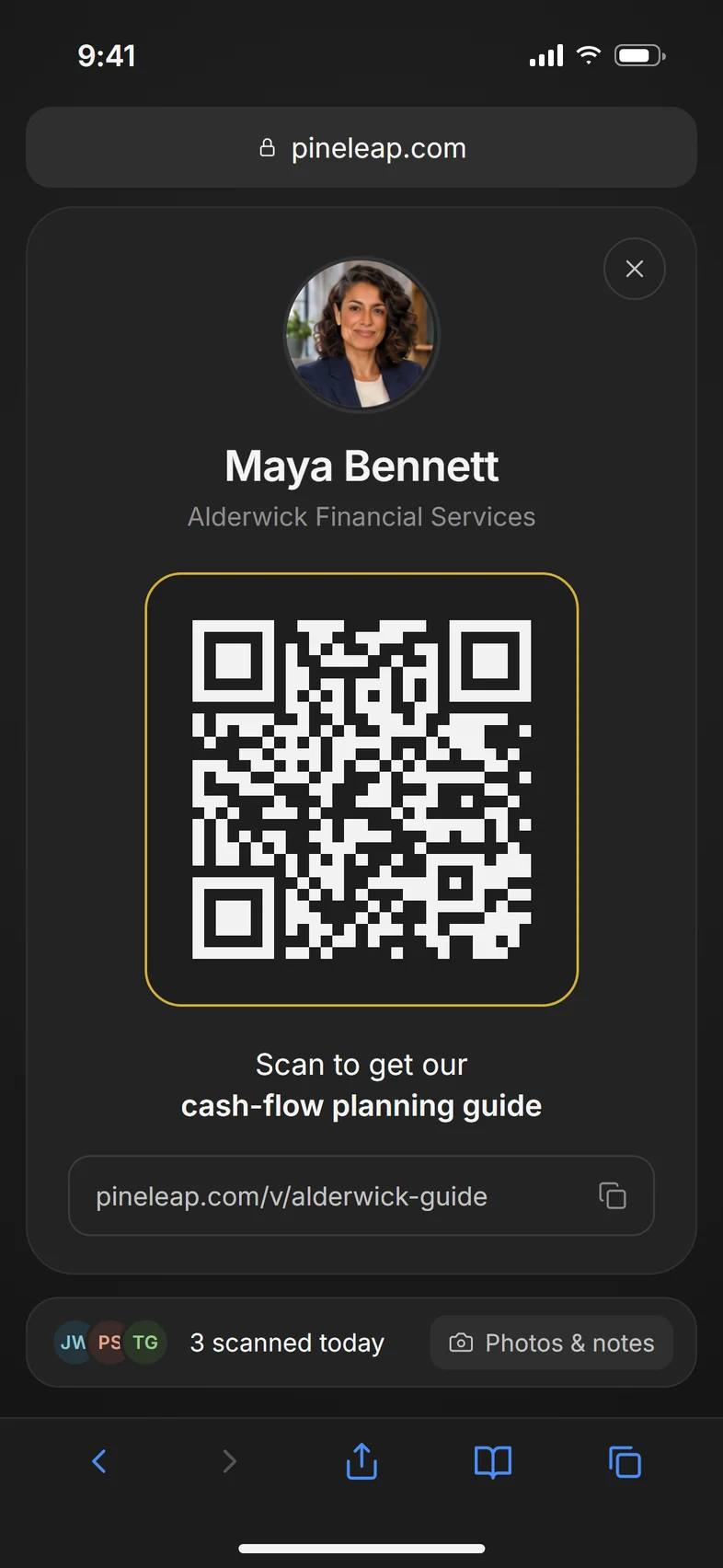
Maya Bennett’s PineLeap QR code for Alderwick Financial Services’ cash-flow planning guide
What they see
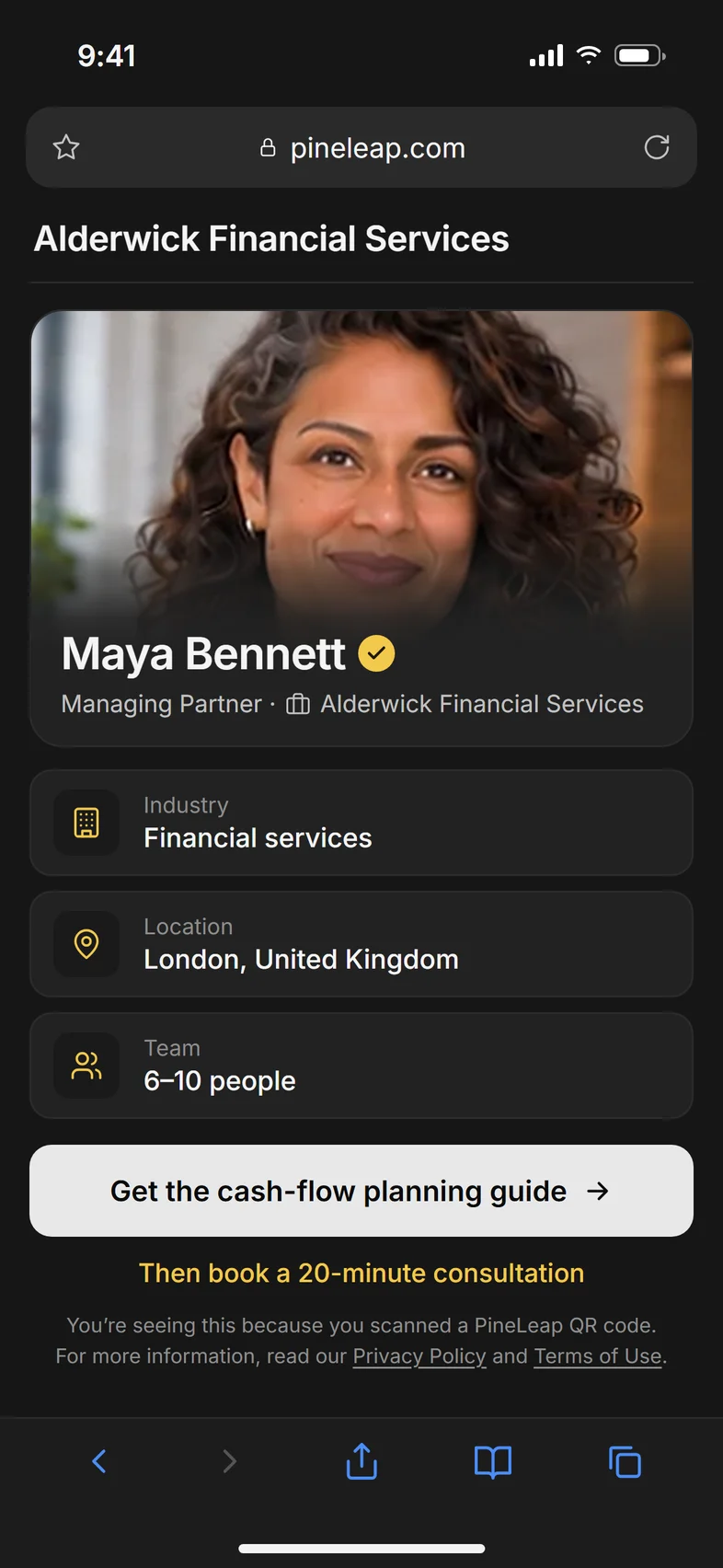
The visitor page: Maya Bennett, Alderwick Financial Services, with buttons to get the cash-flow guide or book a consultation
One simple actionCash-flow guide · PDF
The next step20-minute consultation booked

Works with the tools you already use

  • Google Calendar
  • Outlook Calendar
  • Google Meet
  • Microsoft Teams
  • HubSpot
The moment after hello

A good conversation deserves a next step.

At the UK Business Expo in London, Maya Bennett meets James Whitfield, who runs a joinery firm in Walthamstow. They talk about keeping cash flow steady between big contracts. Maya promises to send a guide.

Maya BennettAlderwick Financial ServicesJWJames WhitfieldWhitfield Joinery
The usual way

Connected.
Then forgotten.

  1. A promising conversationCash flow, VAT, a real need for help.
  2. Connected on LinkedInRequest accepted on the train home.
  3. “I’ll send that guide over”A promise sitting in a DM thread.
  4. Lost in the feedA week later, neither of them follows up.
Good conversation No next step
With PineLeap

The conversation has
somewhere to go.

  1. Maya shares her QR codeRight there, while they’re still talking.
  2. James gets the cash-flow guideOpens it in his browser. No app to download.
  3. He books a 20-minute consultationFrom Maya’s real calendar availability.
  4. Maya sees it all in one placeWho he is, what he opened and what’s next.
Good conversation Consultation booked
A simple way to follow through

From scan to booked, in a minute.

Three screens. That’s the whole journey for the person you met.

Maya shows her QR code
James sees Maya’s profile and the cash-flow guide
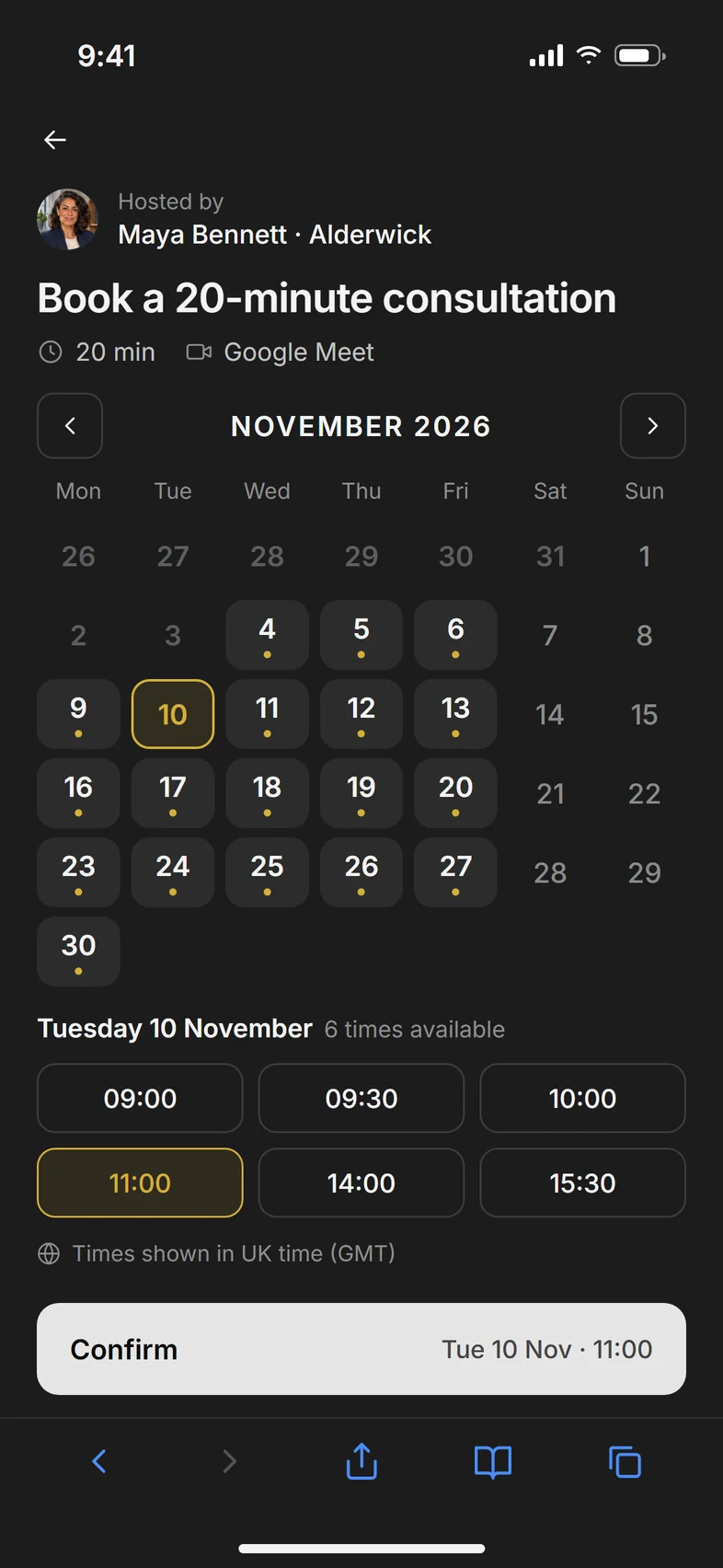
James picks Tuesday 10 November at 11:00
Scan the codeMaya’s QR code opens her cash-flow planning guide.
Meet Maya, and the next stepMaya’s profile, her business and one clear next step.
Book a time that worksJames picks Tuesday at 11:00 from Maya’s calendar.
What you share · What they see

Clear for them. Connected for you.

Maya shares one QR code from her workspace. James sees a simple page about Maya and her business, with one useful thing to do next.

Maya’s workspace showing the QR code for her cash-flow planning guide, with three people scanned today
The page James sees on his phone after scanning

01What you share

A QR code or link for a guide, a price list, a deck or a meeting. Show it on your phone, print it on a stand or put it on a slide.

02What they see

Your name, your business and one clear next step, branded and in their browser. No app, no sign-up, no business card to lose.

The workspace

Everyone you met. Everything that’s next.

Every introduction lands in Maya’s workspace, with what was shared, what was opened and what happens next.

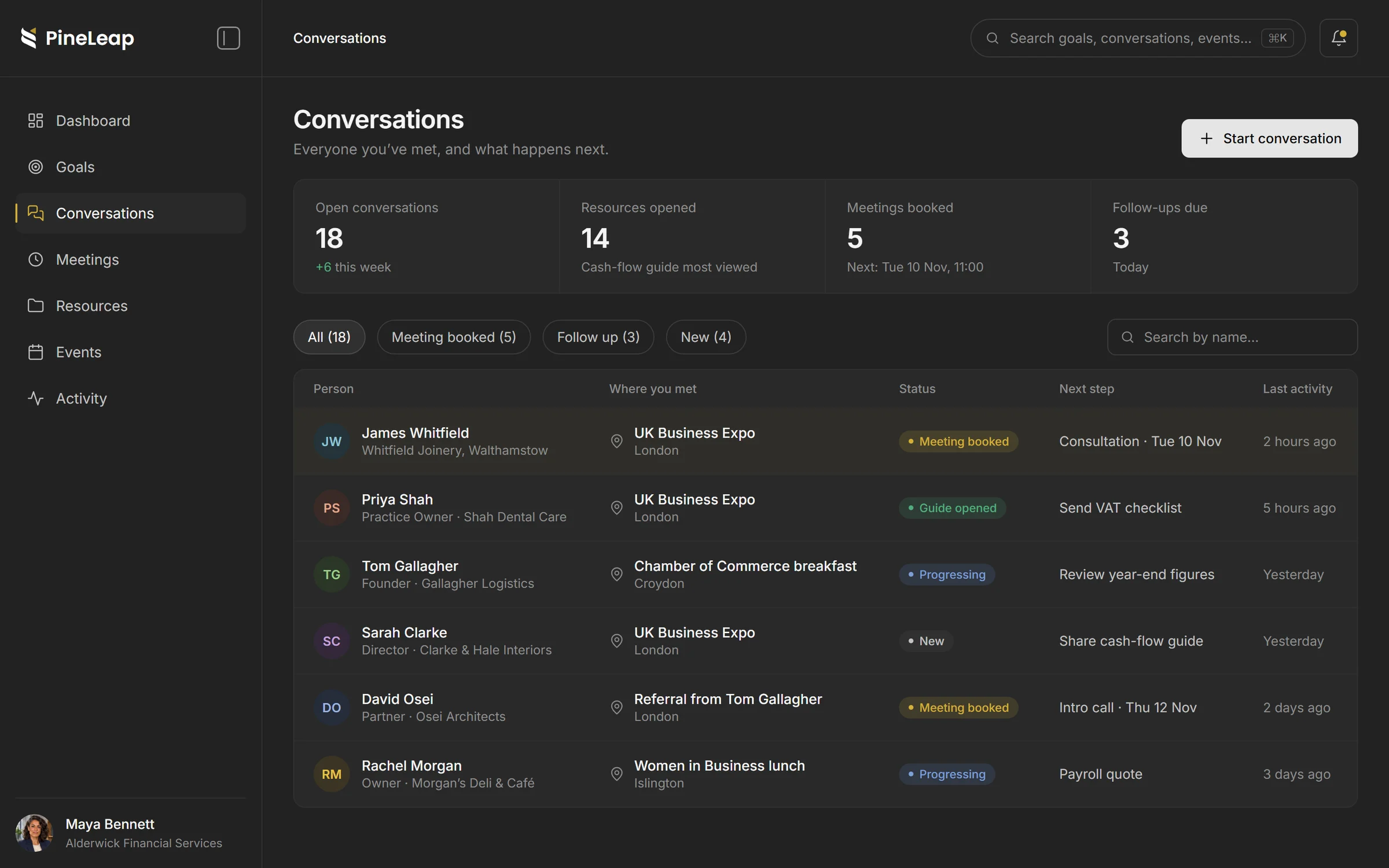
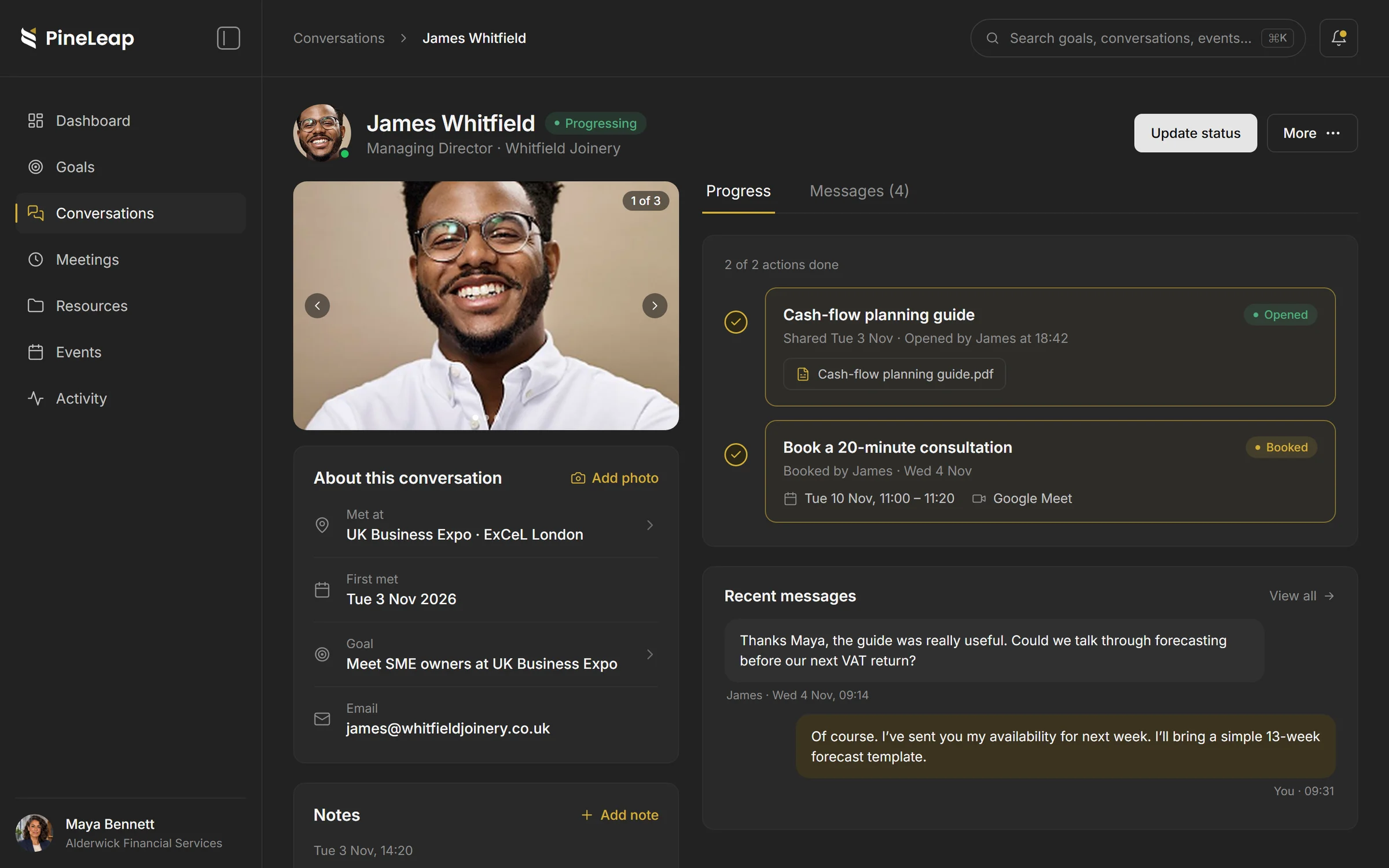
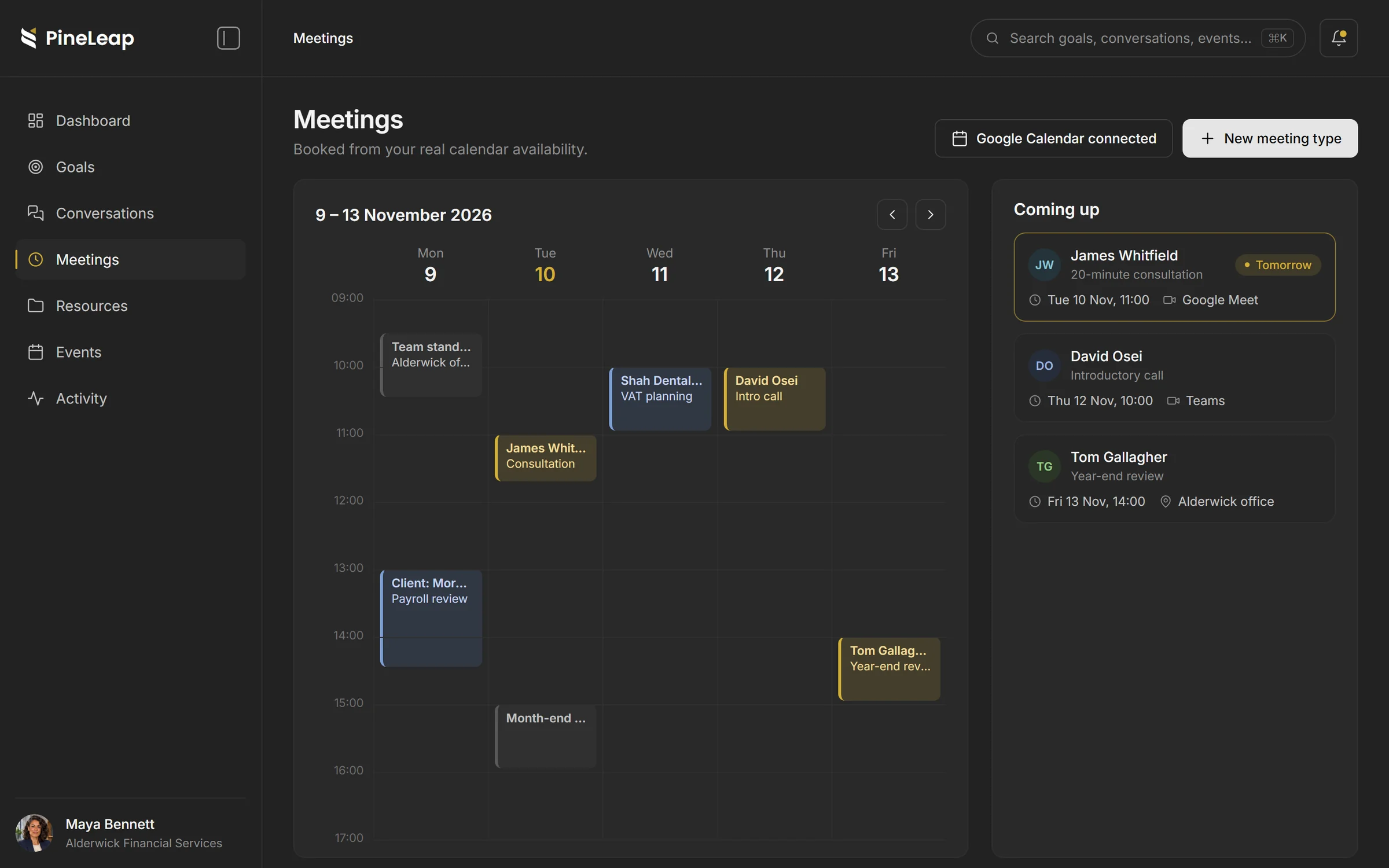
Maya’s conversations list: James Whitfield, Priya Shah, Tom Gallagher and others, with status and next step James Whitfield’s conversation: where they met, notes, the opened guide and the booked consultation Maya’s meetings for the week, with James Whitfield’s consultation on Tuesday at 11:00

Every introduction, in one list. Where you met, where things stand and the next step for each person.

The full context. Notes from the day, the guide James opened and the consultation he booked, all on one page.

Meetings from your real calendar. People book into your Google or Outlook availability, so you never chase a time.

The conversation doesn’t end there

It carries on after goodbye.

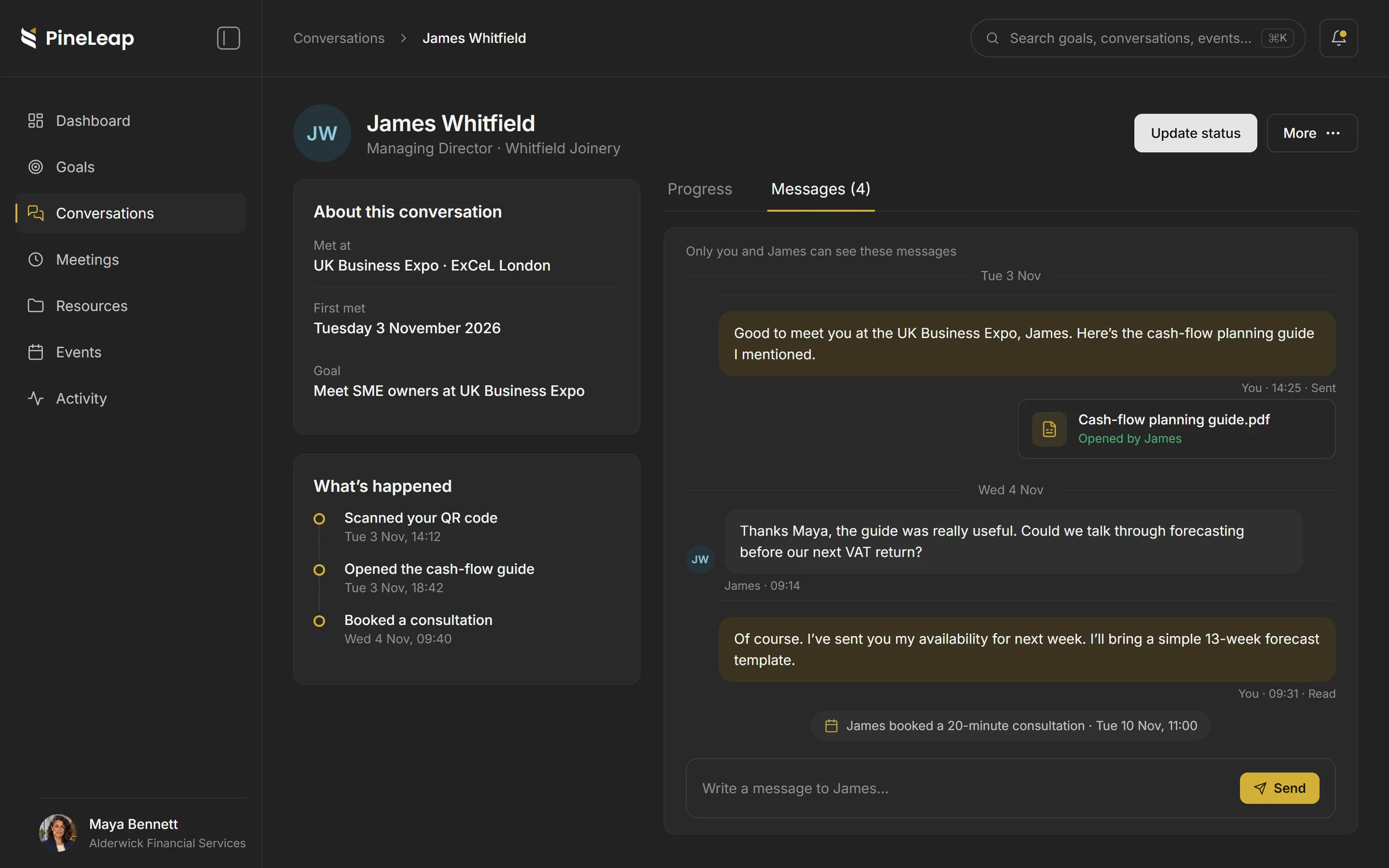
Messages, the guide and the meeting stay attached to James. When Maya joins the call on Tuesday, she starts where they left off.

  1. Met at the UK Business Expo, London
  2. James opened the cash-flow planning guide
  3. He asked about forecasting before his VAT return
  4. 20-minute consultation at 11:00
The messages between Maya and James, with the shared guide and the booked consultation
A plan for how you work

Start with a hello. Grow from there.

Explore PineLeap for free, or choose a plan that gives your conversations and your team more room.

£0/ month

The Free plan includes unlimited conversations and meeting bookings to get you started.

Explore plans & pricing
A few things you might be wondering

Good to know before hello.

A little more about how PineLeap fits into the way you already meet people.

No. Guests scan your QR code or open your link in their phone’s browser. They can view your page and take the next step without downloading anything.

Documents such as PDFs and presentations, links, meeting bookings, sign-ups and event registrations. You can also ask for an email before a document opens.

Yes. On team plans, colleagues can work from the same conversations and goals, with roles and permissions.

On paid plans you can add your logo and brand colours to the pages your guests see.

Google Calendar and Outlook Calendar for bookings, and HubSpot for creating contacts from new conversations. Exports are available on eligible plans.

The next conversation is yours to make

Good things start with hello.

Give the people you meet a clear next step, and give yourself a better way to follow through.

Get started with PineLeap